
If your primary job is reviewing call quality and coaching staff on conversations, CallRail is the stronger pick. If you need to prove revenue across calls, forms, chats, and e-commerce in a single report, WhatConverts wins. The core architectural difference is this: CallRail separates call tracking and lead tracking into distinct product lines, while WhatConverts stores every lead type in one unified database. For a two-week pilot: start with whichever matches your primary reporting job, run identical traffic, and measure qualified-lead counts against CRM closed deals before committing.
Table of Contents
- How do CallRail and WhatConverts actually compare?
- How do you choose between them?
- What setup mistakes will cost you the most?
- How do you turn either platform into an AI-driven conversion system?
- What is the final recommendation for Australian service businesses?
- Key takeaways
- The part most guides skip
- What Tyson Kaye builds for service businesses choosing this path
- Useful sources
How do CallRail and WhatConverts actually compare?
The table below maps the dimensions that matter most to Australian service businesses and agencies evaluating these platforms side by side.
| Dimension | CallRail | WhatConverts |
|---|---|---|
| Best for | Call-heavy operations, AI conversation intelligence | Unified revenue reporting across all lead channels |
| Data model | Separate call tracking + lead tracking product lines | Single unified lead database |
| Call analytics depth | Strong — Conversation Intelligence trained on extensive voice data (vendor claim) | Functional call tracking; less depth on AI transcription |
| Cross-channel attribution | Primarily last-click | Multi-click models (first, last, all, position-based) at Elite tier |
| Agency / white-label | Account Center add-on; Premium tier per account | Agency Unlimited Accounts with white-label report builder |
| Native CRM integrations | Two-way HubSpot and Salesforce native | Webhooks and Zapier for most two-way flows |
| Setup complexity | Moderate; product line separation requires careful config | Moderate; unified schema simplifies reporting but needs field mapping |
| Revenue valuation | Limited | Lead qualification and quote/sales value as first-class fields |
| Entry pricing | From $50/month (G2 data) | From $30 + usage |
| Australian support | Available; timezone SLA not publicly listed | Available; timezone SLA not publicly listed |
A few things worth unpacking. CallRail's Conversation Intelligence supports businesses that run weekly call quality reviews by transcribing and analyzing calls to identify key insights. WhatConverts counters with revenue-first reporting: you can mark a lead as quotable, attach a dollar value, and feed that figure straight back to Google Ads for smart bidding. Neither approach is universally better. They solve different operational problems.
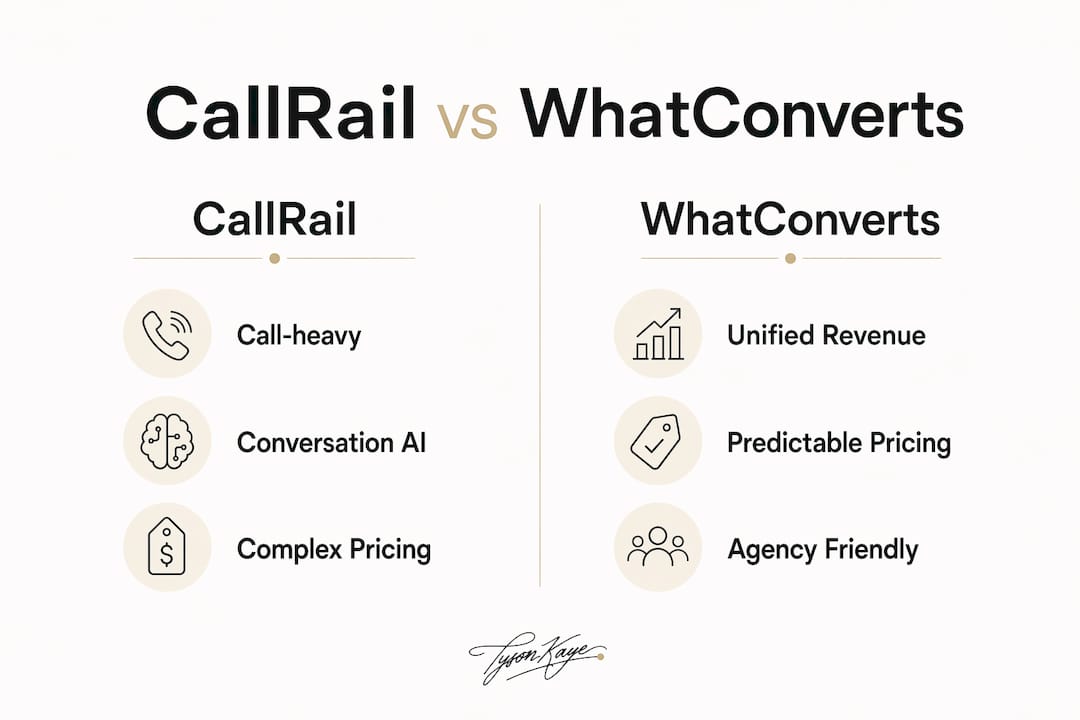
On agency pricing, WhatConverts scales more predictably. CallRail's agency features often require paying up to Premium per account, which compounds quickly across a multi-client portfolio. Both platforms support dynamic number insertion (DNI) and offline conversion write-back to Google Ads and Meta, though the tier at which write-back is included differs between them.
How do you choose between them?
Work through this in order. Skip any criterion that genuinely does not apply to your operation.
- Define your primary reporting job. Weekly call quality reviews and AI conversation intelligence point to CallRail. Monthly revenue attribution across channels points to WhatConverts.
- Audit your call volume. CallRail bundles minutes and can be cheaper for predictable, high call volumes. WhatConverts applies usage charges at scale, so model total cost of ownership before signing.
- Check your attribution model needs. B2B service businesses with sales cycles longer than two weeks lose accuracy with last-click alone. WhatConverts' multi-click models at Elite tier are worth the premium in that scenario.
- Count your client accounts or locations. More than five accounts tips the economics toward WhatConverts' agency billing structure.
- Map your CRM. If you run HubSpot or Salesforce and need two-way native sync without middleware, CallRail has the edge. For Xero or MYOB integrations common in Australian operations, both platforms rely on webhooks or Zapier.
Questions to ask in a vendor demo: How does CRM field mapping handle custom objects? Which attribution models are available at your tier? What are the API rate limits and export formats? What is the support SLA for AEST business hours? How are call recordings stored and deleted under Australian Privacy Principles?
Two-week trial plan. Run both platforms on identical traffic using DNI. Collect: qualified lead count, revenue per lead, duplicate lead rate, and time to CRM record creation. Set an acceptance threshold before you start — for example, attribution must align with CRM closed deals within 10%. Accept the tool only when it clears that bar.
Red flags to stop a purchase: siloed datasets that require manual CSV stitching, API limits that block reliable export, CRM field mapping mismatches that create duplicate contacts, or per-account pricing that makes multi-client rollups unaffordable.
What setup mistakes will cost you the most?
Both platforms fail the same way: businesses deploy tracking numbers, watch the dashboard fill up, and assume the data is clean. It rarely is without deliberate governance.
The most common pitfalls are unclear lead definitions (is a two-second call a lead?), duplicate leads from overlapping DNI pools, session tracking confused with lead tracking, and last-click attribution applied to B2B buyers who touched six channels before calling. CallRail's separate product lines add a specific risk: teams configure call tracking correctly but leave lead tracking misconfigured, producing two datasets that never reconcile.
Governance steps that actually matter:
| Step | Action | Owner |
|---|---|---|
| Define lead schema | Set minimum data points for a valid lead (source, channel, duration floor, outcome) | Marketing lead |
| Map CRM fields | Match every tracking field to a CRM property before go-live | CRM admin |
| Deduplication rules | Define the merge logic for same-number, same-session duplicates | Marketing lead |
| Single source of truth | Nominate one system (CRM, not the tracking platform) as the record of truth | Operations |
| Weekly audit | Human review of 10% of leads for qualification accuracy | Sales lead |
| Monthly attribution check | Compare platform attribution to CRM closed deals | Marketing lead |
Pro Tip: Set a minimum call duration threshold (typically 60–90 seconds) as your first lead qualification filter. Calls below that threshold inflate lead counts without adding revenue signal, and they corrupt any ML model or smart bidding algorithm downstream.
The governance gap between tracking and revenue signal is where most implementations fail. More tracking does not produce better insight; surfacing qualification signals and routing them into sales workflows does.
How do you turn either platform into an AI-driven conversion system?
The tracking platform is the data layer. The conversion system is what you build on top of it.
Automation recipes that work for Australian service businesses:
- AI call qualification → CRM enrichment: Use CallRail's Conversation Intelligence transcripts or WhatConverts' lead records as the trigger. An AI agent scores the call, enriches the CRM contact with intent signals, and assigns a follow-up task to the right sales rep within minutes of the call ending. This pairs well with AI-driven lead generation patterns built for service businesses.
- Automated SMS follow-up: Trigger a personalised SMS within five minutes of a missed call using a webhook from either platform into your CRM or a tool like Make or Zapier. Response rates on sub-five-minute follow-ups are materially higher than same-day callbacks.
- Revenue write-back to Google Ads: Both platforms support offline conversion import. Attach the quote value from WhatConverts' lead record (or the CRM deal value) to the conversion event so Google's smart bidding optimises for revenue, not call volume.
For CRM handoffs, CallRail's native two-way HubSpot integration is the path of least resistance if you are already on HubSpot. WhatConverts users connecting to Xero or MYOB will need a webhook or Zapier step; budget for setup time and test the field mapping against real records before go-live. For broader CRM integration patterns, the webhook approach gives you more control over data transformation even when a native connector exists.
Pro Tip: Place a human qualification check between the AI scoring step and any automated sales workflow. AI models trained on call transcripts can misclassify price-shoppers as high-intent buyers. A 60-second human review of flagged leads before they enter a nurture sequence protects your sales team's time and keeps your CRM clean.

What is the final recommendation for Australian service businesses?
Choose CallRail if your operation runs on call volume, your team reviews call recordings weekly, and you want AI-generated summaries and follow-up drafts without building custom tooling. Choose WhatConverts if you manage multiple client accounts or locations, need to report revenue across channels in one place, or run B2B sales cycles where last-click attribution misleads spend decisions.
Procurement checklist:
- Open trial accounts for your chosen platform (both offer free trials).
- Export a sample of 50 leads and validate field mapping against your CRM.
- Test the API: pull lead records programmatically and confirm rate limits suit your volume.
- Run a HubSpot, Xero, or MYOB integration pilot with real data for five business days.
- Submit a support ticket at 8:00 AM AEST and record response time — this is your SLA benchmark.
- Model total cost of ownership at 1.5x your current call volume to account for growth.
Deployment timeline and cost pointers:
| Phase | Typical duration | Notes |
|---|---|---|
| DNI setup and number pool config | 1–3 days | Longer for multi-location or multi-client |
| CRM field mapping and testing | 3–5 days | Add 2 days for webhook/Zapier builds |
| Attribution validation (trial) | — | Run against CRM closed deals |
| Production go-live | — | Budget for Conversation Intelligence or multi-click attribution add-ons |
Conversation Intelligence and multi-click attribution are the two add-ons most commonly underbudgeted. Price them into your total before signing, not after.
Key takeaways
WhatConverts suits unified revenue reporting across channels; CallRail suits call-heavy operations that need AI conversation intelligence — and governance determines whether either tool produces revenue-grade data.
| Point | Details |
|---|---|
| Architecture decides fit | CallRail splits call and lead tracking; WhatConverts stores all lead types in one unified database. |
| Trial before you commit | Run a two-week side-by-side pilot with identical traffic and validate attribution against CRM closed deals. |
| Governance over more tracking | Define your lead schema, map CRM fields, and set deduplication rules before go-live or the data is unreliable. |
| Automation multiplies value | Revenue write-back to Google Ads and AI call qualification are the highest-ROI automations to build on top of either platform. |
| Tyson Kaye builds the system | Tyson Kaye implements the full audit-to-production stack — tracking, CRM handoffs, AI agents, and governance — for Australian service businesses. |
The part most guides skip
The debate between these two platforms is almost always framed as a features race. It should be framed as an operational design question.
The businesses that get the most from either tool are not the ones with the most tracking numbers or the most integrations. They are the ones that decided, before setup, what a qualified lead actually means for their business, which system owns the record, and who is responsible for auditing the data each week. Without that, both platforms produce dashboards that look impressive and inform nothing.
The other thing worth saying plainly: CallRail's Conversation Intelligence is genuinely good. But it is most valuable when someone in your business is actually using the transcripts to coach staff or refine ad copy. If that workflow does not exist, you are paying for a feature that sits idle. Equally, WhatConverts' revenue valuation fields are only as accurate as the sales team updating them. A lead marked as "quotable" with no follow-up value attached tells you nothing about marketing ROI.
The tool is never the bottleneck. The operational design around it is.
What Tyson Kaye builds for service businesses choosing this path
Most service businesses that reach this decision already know they need better attribution. What they underestimate is the time between "we've chosen a platform" and "the data is actually driving decisions." That gap is where revenue leaks.
Tyson Kaye runs a fixed-scope audit-to-production engagement: diagnosis of your current lead flow, platform selection and configuration, CRM field mapping, AI agent setup for call qualification and SMS follow-up, and a governance handover so your team owns the system after build. Engagements typically run three to six weeks and are priced as a fixed project, not an ongoing retainer. Clients have reported saving up to 20 hours a week in administrative work once the automated qualification and CRM handoff workflows are live. If you want the tracking platform to actually move revenue rather than fill a dashboard, book a systems audit to see where the gaps are.
Useful sources
The following sources were used in researching this article. Primary product pages and third-party comparisons are noted.
- Primary product comparison (third-party): G2 — CallRail vs WhatConverts — user reviews, ratings, and feature comparisons from verified buyers.
- Primary product page (WhatConverts): WhatConverts blog — CallRail vs WhatConverts — vendor-authored comparison covering unified lead database architecture and attribution models.
- Third-party comparison: The GTM Directory — CallRail vs WhatConverts — attribution-governance framing and Conversation Intelligence notes.
- Third-party comparison: ToolChase — WhatConverts vs CallRail — pricing cues, attribution model differences, and agency billing structure.
- Third-party comparison: Listicler — WhatConverts vs CallRail — DNI, ad write-back, and governance insights.
- Tyson Kaye EEAT asset: Automate lead generation for service businesses — implementation context for Australian service businesses.