
AI workflow automation is the use of artificial intelligence to automate decision points within business processes, enabling tasks to execute with minimal human intervention. Unlike robotic process automation (RPA), which mimics fixed mouse clicks, AI workflows interpret variable inputs and make routing decisions automatically. For business professionals and team leaders in New South Wales, this distinction matters enormously. The difference between clicking through a script and actually reasoning about an invoice or support ticket is the difference between a macro and a genuine productivity multiplier. Tyson Kaye builds these systems for Australian businesses, and the results speak for themselves: clients report saving up to 20 hours a week once the right workflows are in place.
What are the main components of an AI workflow automation system?
AI workflow automation automates decision points that formerly required human intervention, such as classification, extraction, and routing of business inputs. Every system, regardless of complexity, is built from four core layers.

Triggers start the process. They are either event-driven or scheduled. An event-driven trigger fires when something happens, such as a new contact entering your CRM, a form submission landing in your inbox, or a support ticket being created. A scheduled trigger runs at a set time, like a daily report that compiles overnight data every morning at 6:00 AM.
AI processing is the layer that separates these systems from basic automation. This is where the intelligence lives. Common processing steps include:
- Classification: sorting inputs into categories, such as tagging a support ticket as billing, technical, or general
- Extraction: pulling structured data from unstructured text, like reading an invoice and capturing the vendor name, amount, and due date
- Summarisation: condensing long documents or email threads into a brief for a decision-maker
- Generation: drafting a reply, report, or notification based on extracted context
- Scoring: ranking leads, risks, or priorities based on defined criteria
Action execution is what the system does with the AI's output. Actions include updating a CRM record, sending a notification to Slack, escalating a ticket to a senior agent, or triggering a payment in an accounting system. The action layer connects the intelligence to your existing tools.
Logging and audit trails close the loop. Every step is recorded with timestamps and data snapshots. This matters for compliance in regulated industries and for debugging when something goes wrong. Execution history and step-by-step replay give teams the visibility to understand exactly what the system did and why.
What features do modern AI workflow automation platforms offer?
The best AI workflow automation tools share a common design philosophy: they let non-technical users build complex logic without writing code. Visual node-based editors enable building multi-step AI pipelines by dragging and connecting nodes that represent models, conditions, and actions. This is the foundation of every capable platform.
Beyond the visual builder, the features that separate capable platforms from basic ones include:
- Multiple node types: Advanced CRM-integrated builders provide 14 distinct node types, including triggers, conditions, delays, AI actions, and webhooks. More node types mean more precise control over branching logic.
- Branching operators: Platforms that support over 20 operators for field-based branching let you build nuanced decision trees. For example, routing a deal differently based on deal size, industry, and contact role simultaneously.
- Parallel node execution: Running multiple AI steps at the same time cuts total processing time. A workflow can enrich a lead, score their intent, and draft a personalised email in parallel rather than sequentially.
- Multi-model chaining: Connecting different AI models in sequence allows one model to extract data and pass it to another that generates a response. This is how sophisticated pipelines handle complex tasks.
- CRM integration: Integration with CRM systems allows event triggers like contact creation or deal movements to start automated workflows, connecting AI directly to your sales and service processes.
- Dry-run and sandbox testing: Validating a workflow before it touches live data is non-negotiable. Platforms that offer API-based validation let you catch dead ends and logic errors before they affect customers.
Pro Tip: Always build and test your first workflow in a sandbox environment. Run it against a sample of real historical data before switching it on in production. This single habit prevents the majority of costly errors teams encounter when deploying automation for the first time.
Most effective AI pipelines use 2 to 5 nodes in a visual workflow builder. That range delivers meaningful automation without creating a system so complex that no one on the team can maintain it.
How do you identify the best tasks for AI workflow automation?
The right tasks for automation share three traits: high volume, variable inputs, and clear decision points that do not require deep contextual judgement. High-value tasks include support ticket triage, invoice processing, alert correlation, and automated reporting. Each of these involves receiving varied inputs and making a consistent, rule-based decision at scale.
A practical way to identify candidates in your own organisation is to work through this sequence:
- List your highest-volume repetitive tasks. Focus on work that happens daily or weekly and consumes significant team time. Data entry, inbox triage, and report generation are common starting points for NSW businesses.
- Check for clear decision points. Ask whether a well-trained new employee could make the same decision reliably after reading a one-page guide. If yes, AI can likely handle it.
- Assess input variability. Tasks with variable inputs, like emails that arrive in different formats, are where AI outperforms basic rule-based automation. RPA breaks when the format changes; AI adapts.
- Flag sensitive decisions for human review. Human-in-the-loop checkpoints keep people accountable for high-risk decisions. Refunds above a threshold, contract approvals, and customer-facing communications should always have a human review step built in.
- Pilot in parallel. Run the automated workflow alongside your manual process for two to four weeks. Compare outputs. This reveals gaps before you remove the human from the loop entirely.
Pro Tip: Never automate a process that is not already well-defined. If your team cannot describe the decision logic clearly in plain language, the AI will not perform it reliably either. Fix the process first, then automate it.
A common mistake is automating a broken or poorly documented process and expecting AI to compensate for the underlying confusion. It does not. The AI will execute the flawed logic faster and at greater scale, which amplifies the problem rather than solving it.
What are the best practices for implementing AI workflow automation?
Effective implementation follows a clear sequence. Skipping steps, particularly testing and governance, is where most teams run into trouble.
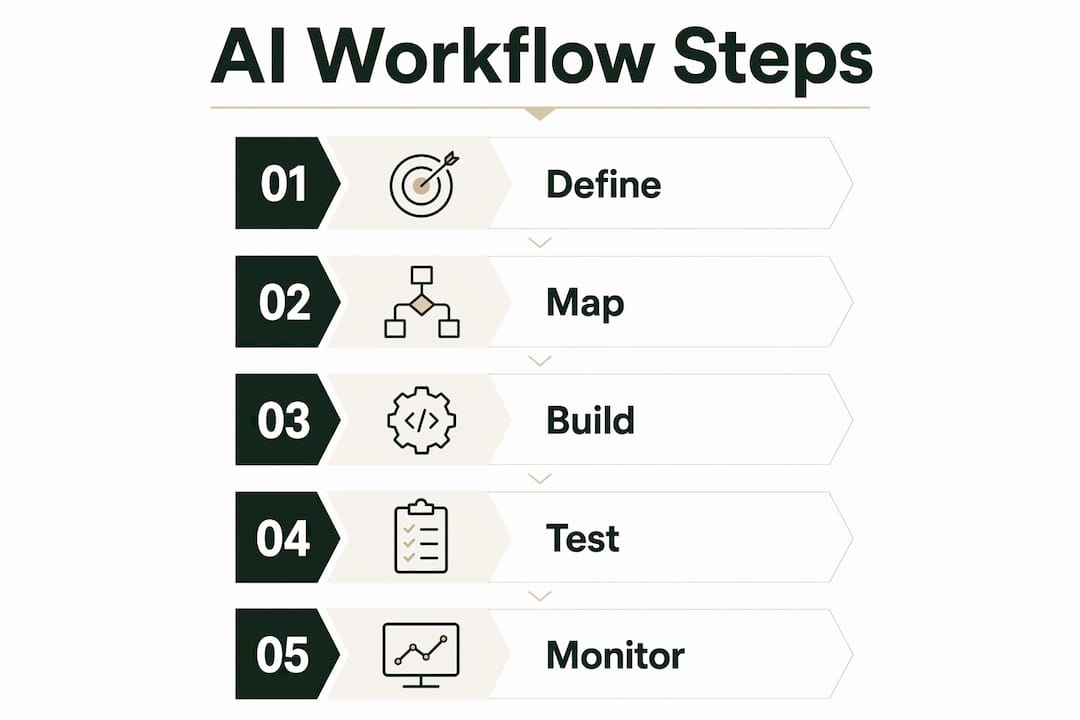
Map the workflow before building it. Write out every step, every decision point, and every possible outcome on paper or in a whiteboard tool before touching a platform. Identify where data enters, where decisions happen, and where outputs go. This map becomes your build specification.
Choose the right platform for your context. Entry-level tools suit simple, linear workflows with a handful of steps. Enterprise platforms handle parallel execution, multi-model chaining, and deep CRM integration. Match the tool to the complexity of the workflow, not to the ambition of the project.
Build reusable templates. Once a workflow is validated, convert it into a template. Teams that build a library of tested templates reduce the time to deploy new automations significantly. A lead enrichment workflow, for example, can be cloned and adapted for different product lines or regions.
Test with dry runs. Implementing dry-run and API-based validation before publishing workflows is the single most reliable way to catch logical errors and dead ends. Run the workflow against historical data, check every branch, and confirm that outputs match expectations before going live.
Pro Tip: Build your logging and monitoring setup before you launch, not after. Knowing what the system did on every run is far easier to set up at the start than to retrofit once the workflow is processing real data.
Establish governance from day one. Define who owns each workflow, who can modify it, and what the escalation path is when the system flags an exception. Governance is not bureaucracy. It is the mechanism that keeps automation trustworthy as it scales.
Monitor and refine continuously. Workflows degrade as business conditions change. A lead scoring model trained on last year's data may misclassify leads after a product launch or market shift. Schedule quarterly reviews of every active workflow and update the logic when performance dips.
Key takeaways
AI workflow automation delivers the greatest value when teams select the right tasks, build with clear logic, and test rigorously before going live.
| Point | Details |
|---|---|
| Define before you build | Map every decision point and output path on paper before opening any platform. |
| Match tool to complexity | Entry-level platforms suit simple linear flows; enterprise tools handle parallel execution and multi-model chaining. |
| Test with dry runs | Validate workflows against historical data in a sandbox before touching live systems. |
| Apply human-in-the-loop | Keep human review steps for refunds, contract approvals, and customer-facing decisions. |
| Monitor and refine | Review active workflows quarterly and update logic when inputs or business conditions change. |
What I have learned building AI workflows for Australian businesses
The most common mistake I see from teams starting with AI workflow automation is treating it like a software purchase rather than a systems design project. They buy a platform, connect a few nodes, and expect results. The platform is the easy part. The hard part is knowing which process to automate, how to define the decision logic, and how to govern the system once it is running.
The dry-run habit is the one I push hardest. Every workflow I build for a client goes through at least one full dry run against real historical data before it touches a live contact or a live transaction. This single step has caught more errors than any amount of careful planning. Logic that looks correct on a whiteboard often breaks on edge cases you did not anticipate.
The balance between automation and human oversight is also something teams underestimate. Full automation is not always the goal. For many of the businesses I work with in New South Wales, the right answer is automating 80% of the volume and keeping a human in the loop for the 10% of cases that carry real risk. That design is more reliable and more defensible than removing humans entirely.
My strongest advice is to start with one workflow, measure it properly, and expand from there. The teams that try to automate everything at once end up with a tangle of overlapping systems that nobody fully understands. The teams that start small, prove the value, and build a library of tested templates end up with automation that actually holds up under pressure.
— Tyson
How Tyson Kaye builds AI automation systems for NSW businesses

Tyson Kaye designs and builds custom AI agents and automated workflow systems for businesses across New South Wales. The approach starts with identifying the operational leaks that cost your team the most time, then building systems that fix them directly. Clients have reported saving up to 20 hours a week and achieving over 205% growth in organic traffic within 90 days. Every system Tyson builds is tested in his own operations before it goes to a client. You can see this in practice through the MS Accountants case study and the full range of AI automation services on the Tyson Kaye website.
FAQ
What is AI workflow automation?
AI workflow automation is the use of artificial intelligence to handle decision points within business processes, such as classifying inputs, extracting data, and routing tasks, with minimal human intervention. It differs from basic rule-based automation by interpreting variable inputs rather than following fixed scripts.
How does AI workflow automation differ from RPA?
Robotic process automation mimics fixed mouse clicks and breaks when formats change. AI workflow automation interprets variable inputs and makes routing decisions, making it suited to tasks where the input format or content changes regularly.
How many nodes should an AI workflow have?
Most effective pipelines use 2 to 5 nodes, which balances automation capability with maintainability. Larger branched pipelines are possible but require stronger governance and documentation to remain manageable.
What tasks are best suited to AI workflow automation?
Tasks with high volume, variable inputs, and clear decision points are the best candidates. Common examples include support ticket triage, invoice processing, lead scoring, and automated reporting.
Do I need coding skills to build AI workflows?
Most modern AI workflow automation platforms use visual drag-and-drop builders that require no coding. Node-based editors let teams connect triggers, AI models, and actions without writing a single line of code.